

For each competitor you track on Panoramata, you can retrieve their CRM flows based on the emails and SMS messages tracked.
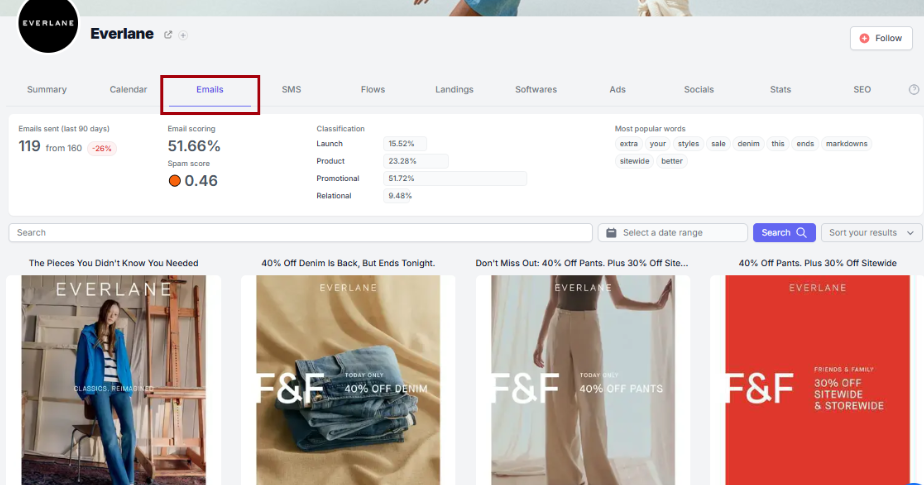
For most brands, you can access up to four years or more than four years of email data, including flow series. This helps you understand how competitors build and optimize their email strategies over time.
To better understand your competitors’ email strategies, it is important to also track their automated email sequences triggered by specific user actions or behaviors.
These automated email series, sometimes including SMS, are called flows or journeys.
These sequences are designed to engage users at the right moment to increase conversions and retention, and they can include static or dynamic (for example, personalized based on user data) messages.
The most popular ones are Welcome Flow, Lost Checkout, Purchase, Reviews, Browse Abandonment, etc.
On each brand page, you can find the Flows section where you can explore all flows curated by our team for that brand.
Over time, brands usually update their flows as part of their email marketing strategy.
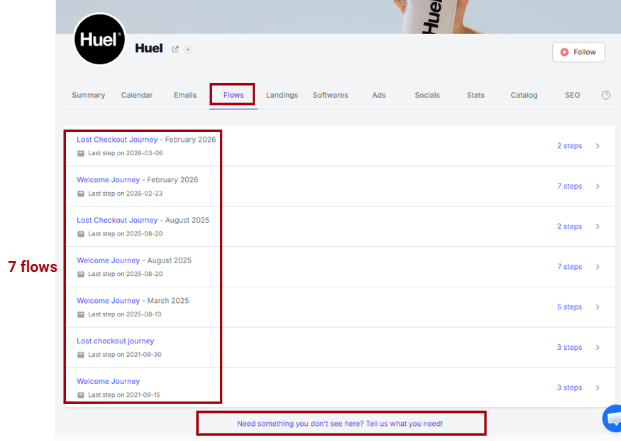
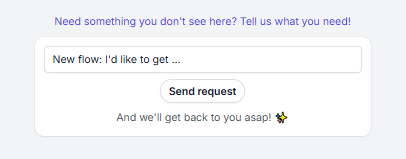
If a flow is missing or you need to check if there are updated ones, you can send your request from the flows page and we'll add them for you quickly.
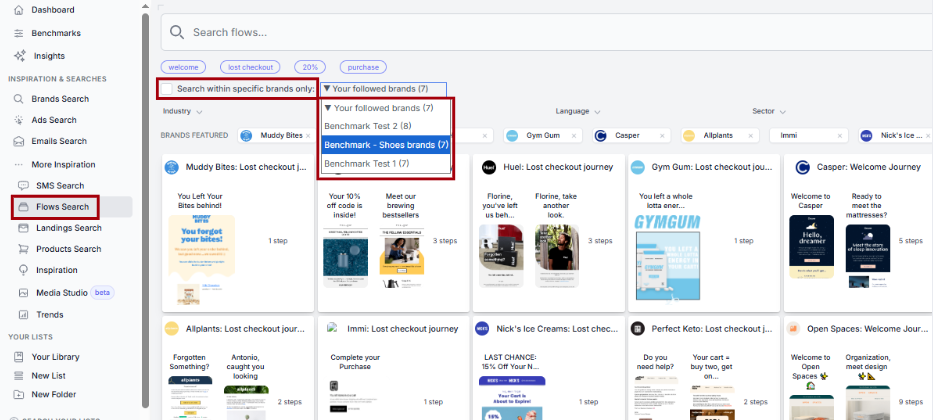
To find flow inspiration across more brands, use Flows Search in the left-hand menu and refine your results with keywords and filters:
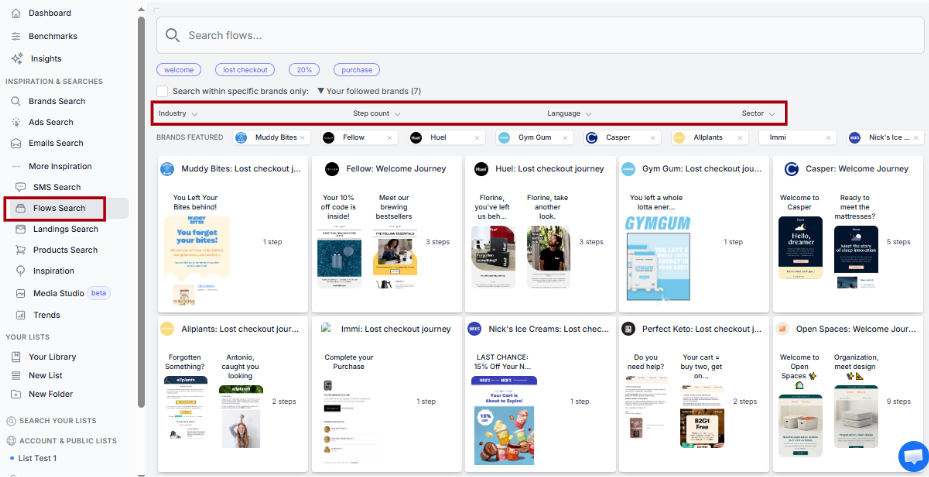
You can also limit your search to a specific group of brands, such as followed brands or one of the benchmarks you’ve created.
We can collect and surface all kinds of flows, and you'll find tens of thousands of flows on Panoramata, including very specific ones. By default, for every single company tracked within your account, you'll find the most common and high-impact flows used by brands, including:
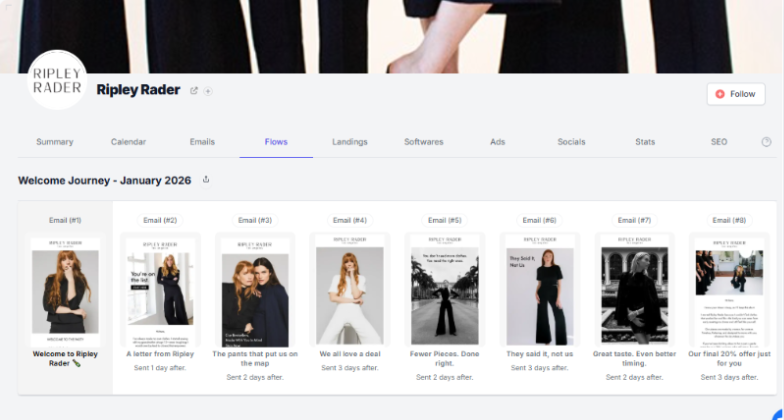
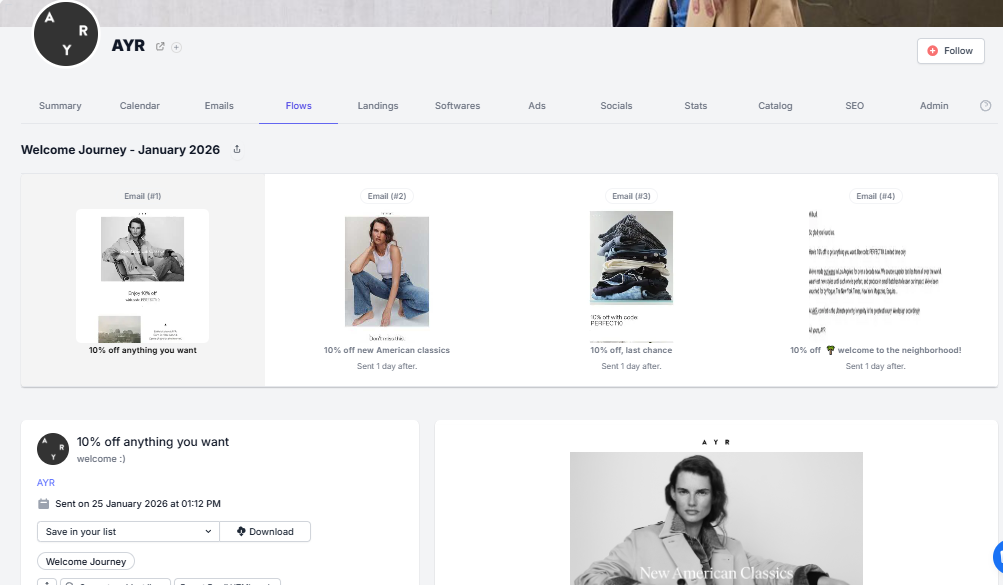
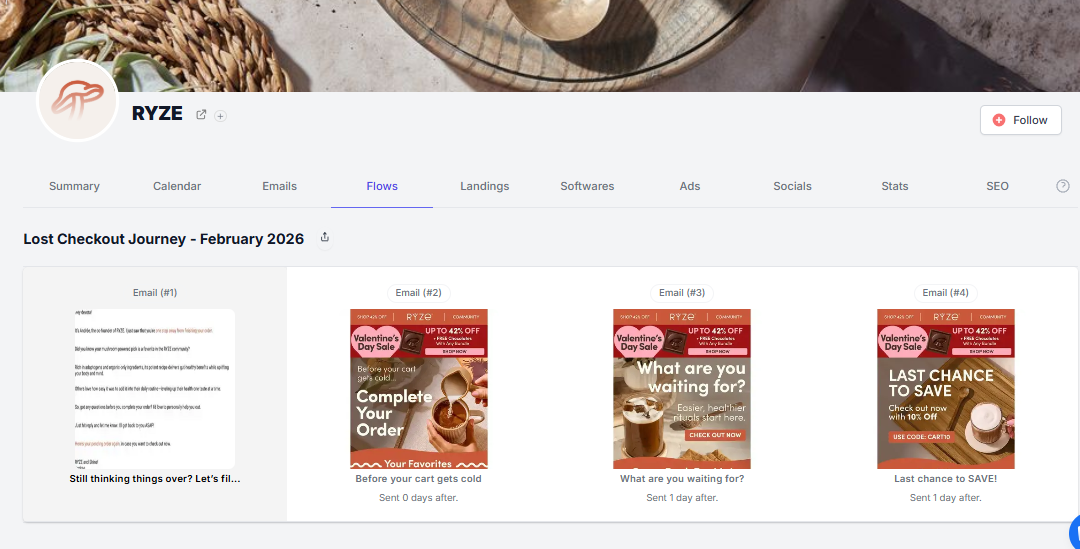
These are the flows we most frequently collect.
For all emails/SMS in a flow, as with all emails on the platform, you have access to useful email actions and key metrics that can inspire you when creating your own flows:
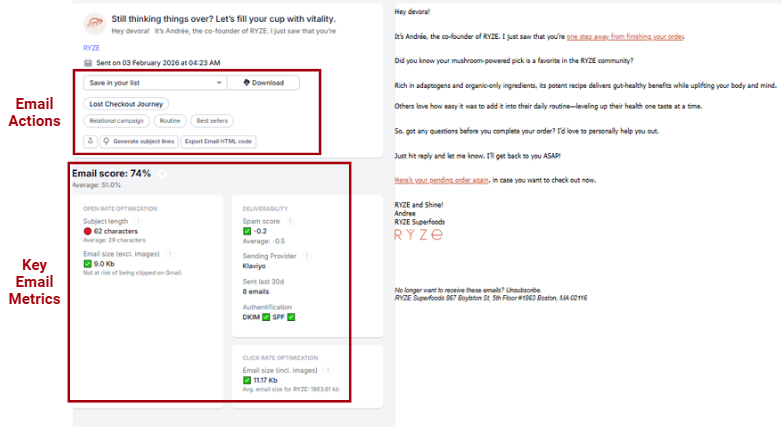
For example, the screenshot above shows the first email from RYZE’s lost checkout journey, along with the options and email metrics displayed on the left side.

1-minute signup, no credit card required
with our experts


