The default Benchmark reports will still be available, so you can continue using them as before. But now, you also have the flexibility to create customized reports, download and share them.
Here's how to create and manage your Custom Reports:
Creating a Custom Report
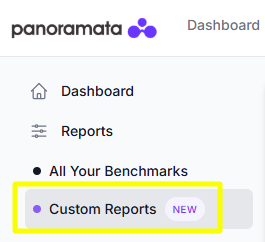
Go to the Reports tab in the left-hand sidebar menu, then select Custom Reports.
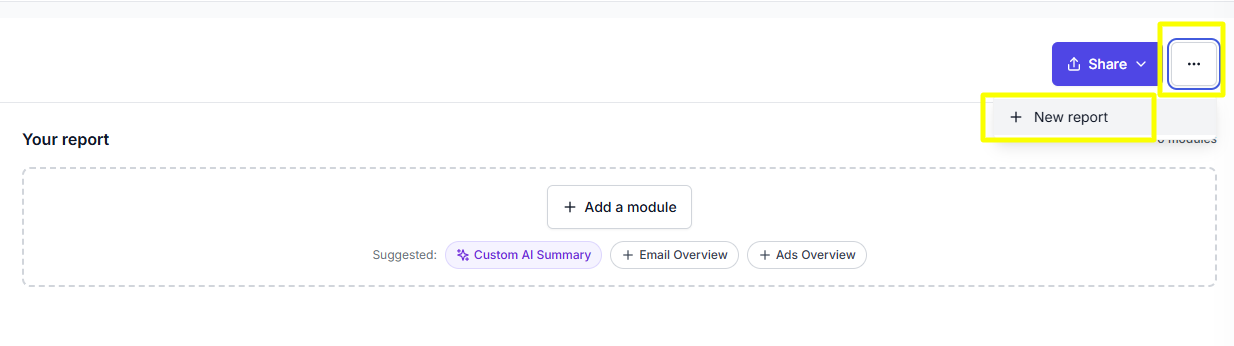
Click the three-dot menu on the right side of the screen, then select + New report.
You'll be prompted to enter a name for your Custom Report.
Once you've named your report, you can start customizing it by adding modules, setting your reporting period, and defining your competitor set.
Adding Modules
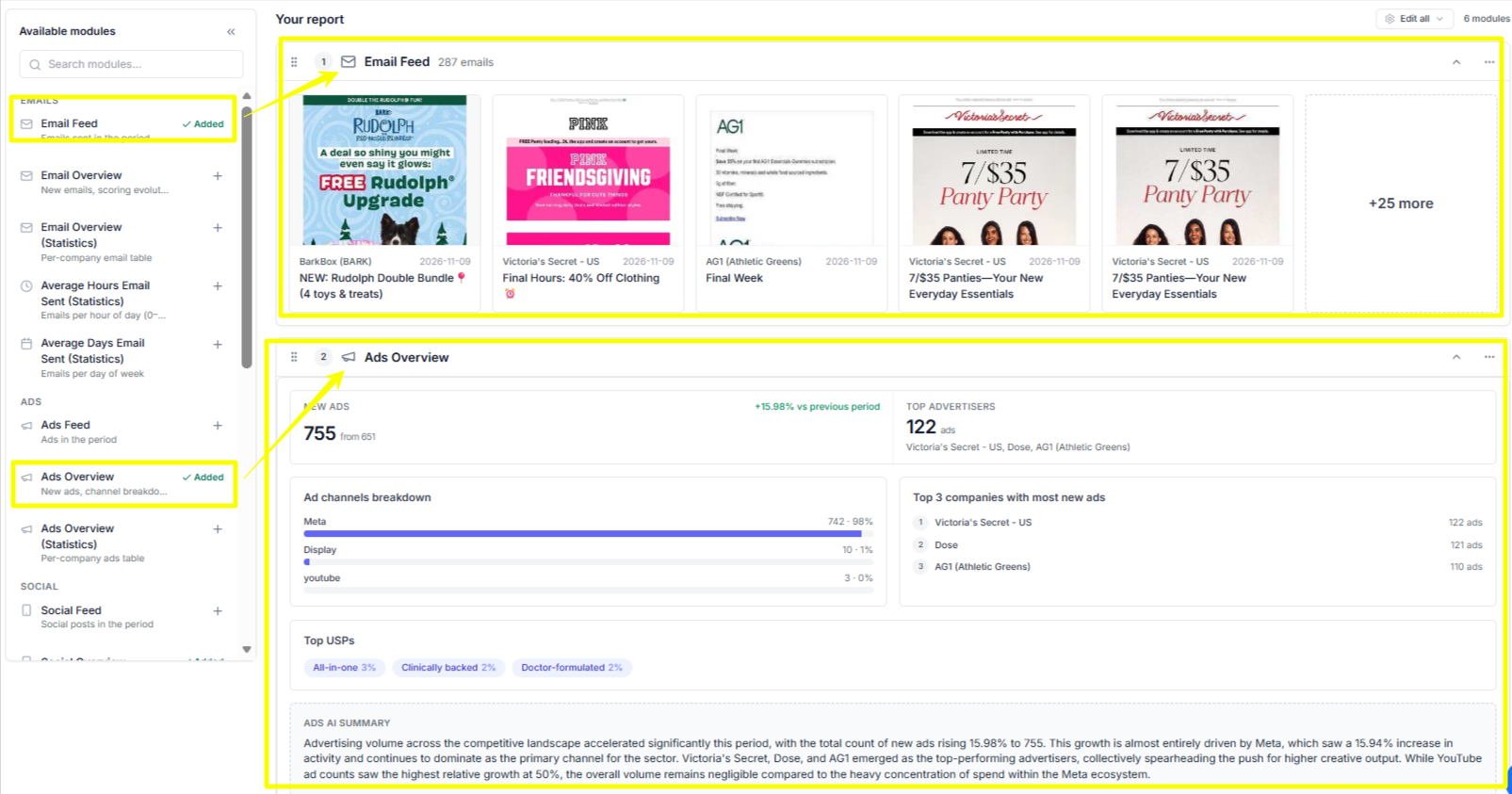
You can select the modules and data you'd like to include in your report.
Click + Add a module.
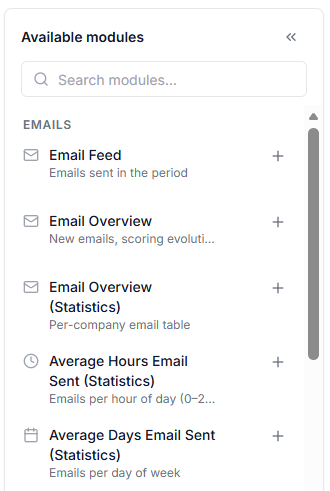
You can choose from the suggested modules or browse the available modules on the left side of the screen.
Use the search bar to find a specific module, or scroll through the list to explore the available options.
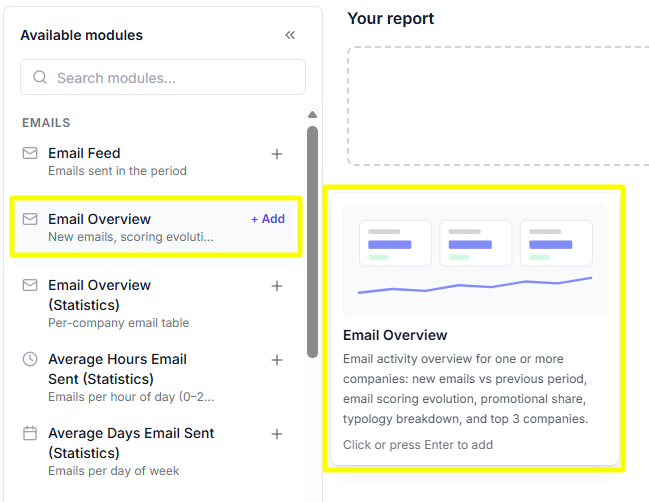
Hover your mouse over a module to view its description and learn more about the data it provides.
Once you've found the module you want, simply click the + button on its right side to add it to your report.
Each selected module will appear in your report, as shown in the example below.
Setting a reporting period
You can choose the reporting period that works best for you.
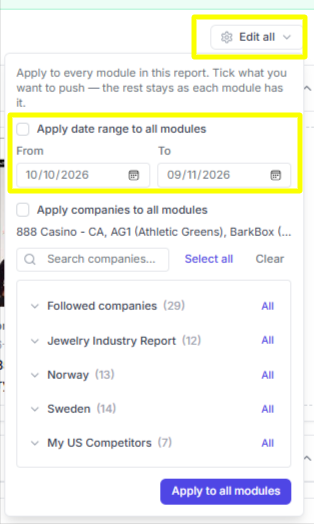
Click Edit All on the right side of the screen.
Select your preferred start and end dates using the date selector, as shown below.
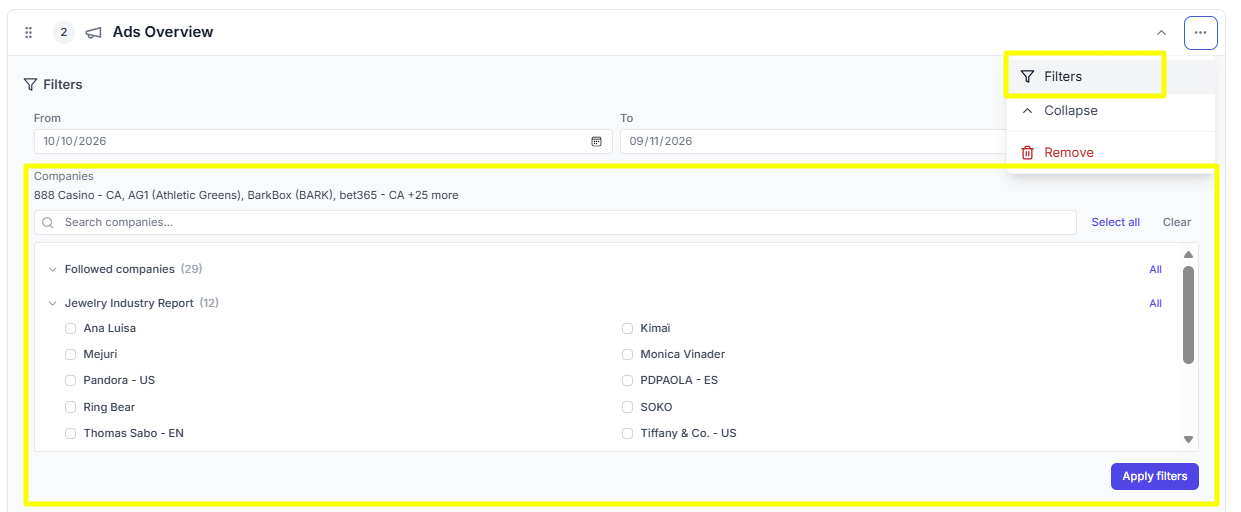
You can choose to apply this date range to all modules in your report or set a different date range for each individual module.
Defining your competitor set
You can define a set of competitors to compare your performance with.
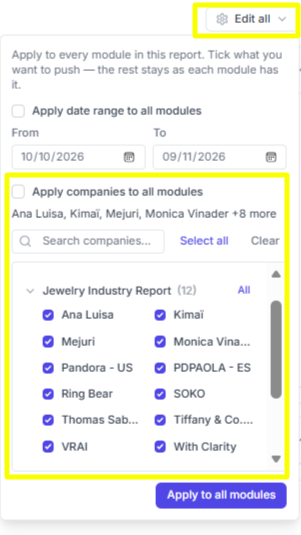
Click Edit All on the right side of the screen.
Select the competitors you'd like to include.
You can choose from your Followed Brands or select any existing Benchmark groups in your account.
Choose whether to apply the same competitor set to all modules in your report or define a different set for each individual module, as shown below.
Scheduling report delivery
You can set up a delivery schedule for your report.
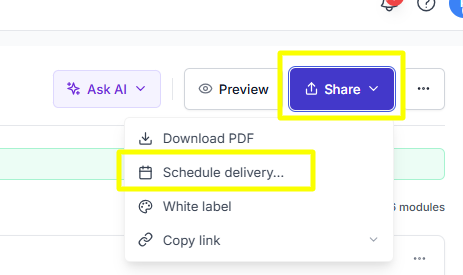
Click the Share button, and Select Schedule delivery.... as shown below.
You'll be prompted to set the delivery frequency, time, and reporting period.
Choose how you'd like to receive your reports, whether via email, Slack, or both.
Downloading and sharing reports
You can also download or share your Custom Reports whenever you need.
Simply click the Share button.
Here, you have the option to download a PDF file of your report.
You can also generate and copy a public link for this particular report and share it to someone.
Choose a playlist to explore our step-by-step video guides.
Next Live Session - AI & Competitive Intelligence
Upcoming Session - Online Webinar - November 13th What's the best AI for marketing tasks? We'll share best practices, MCP tools, AI skills and we'll answer your questions live. Register now to get the recording.
Your unfair advantage
Panoramata is the difference between missed opportunities and great marketing decisions.
Without Panoramata
Manual tracking of your competitors
Constantly forgetting about it
Endless noise and distractions
Lost knowledge and missed opportunities
Less inspiration, fewer best practices & market trends
With Panoramata
Focused and organized competitor tracking
All-in-one marketing strategy hub
Efficient marketing planning
Real-time automated benchmarks
Perfect inspiration for your next marketing campaign