

Yes. In Panoramata, you can filter ads by UGC format in two main places: from certain brand pages and from Ads Search.
This is useful if you want to build an inspiration list around UGC-style creatives for a specific brand, a benchmark, or a whole industry.
If you want to save UGC ads for later and share them with your team, read: How can I save the creatives that I like?
For brands where the Ads Insights Summary is displayed, you can filter UGC ads directly from the brand's Ads tab.
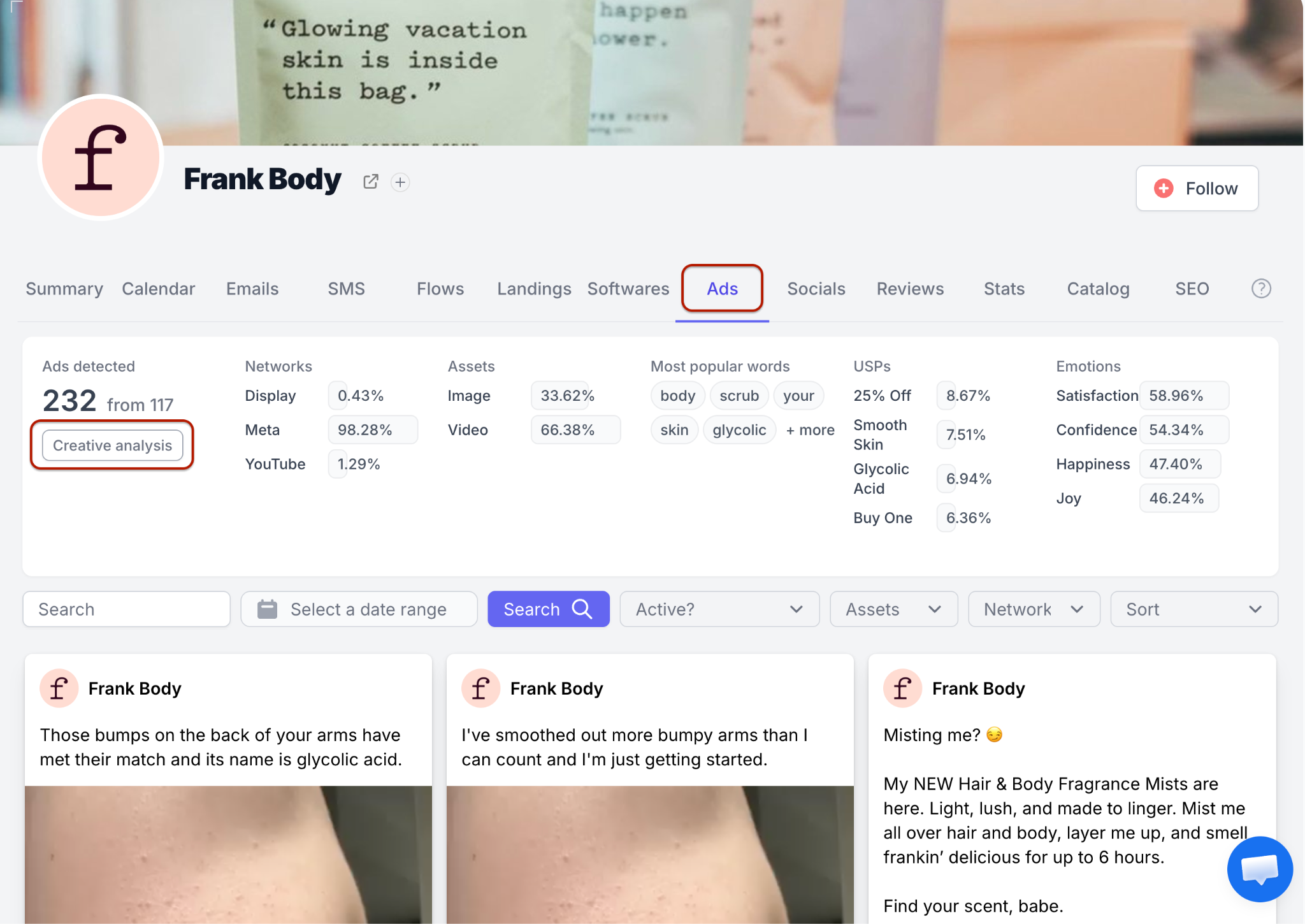
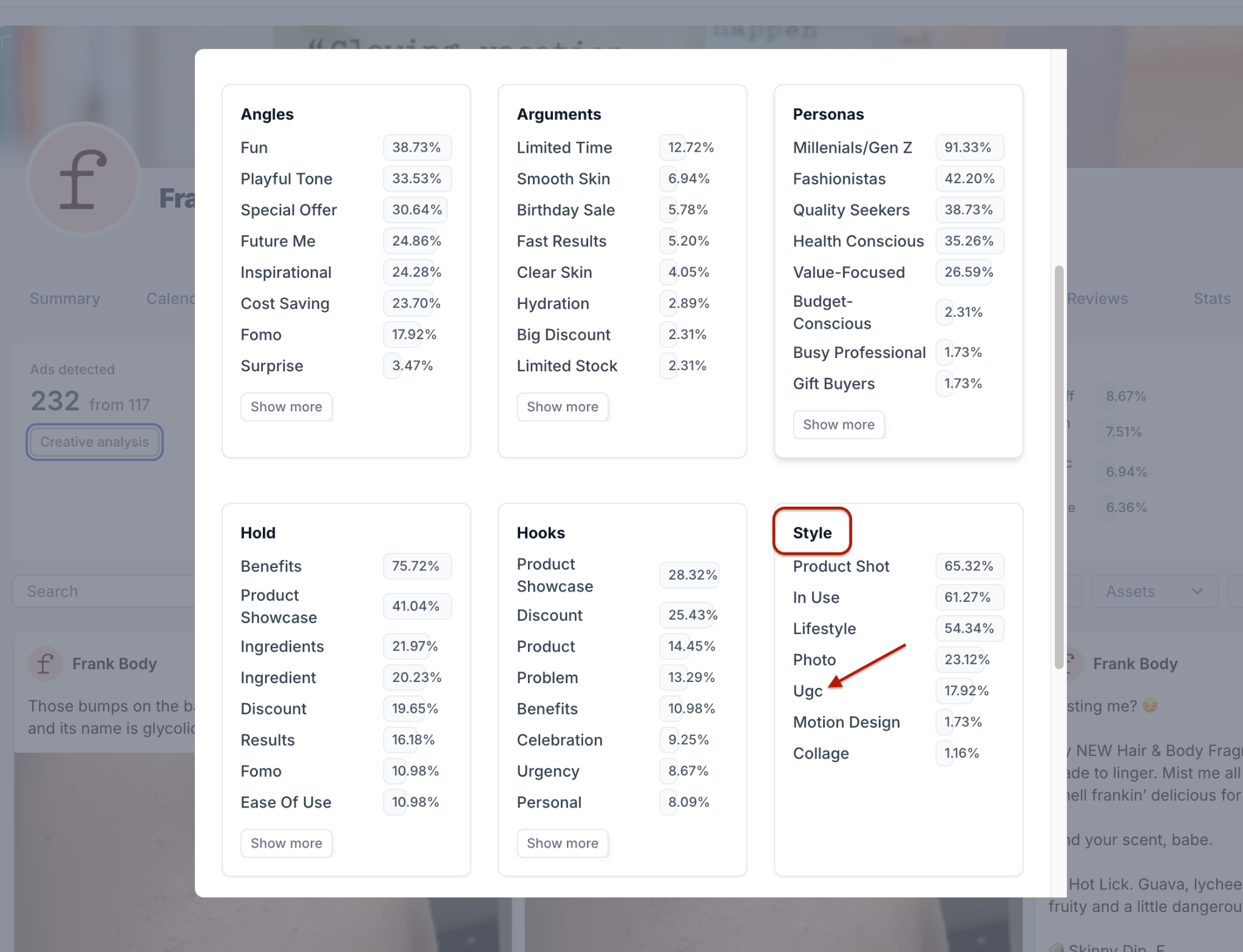
Before clicking Creative Analysis > UGC, you can refine the brand-level results with the filters available on the Ads tab, such as:
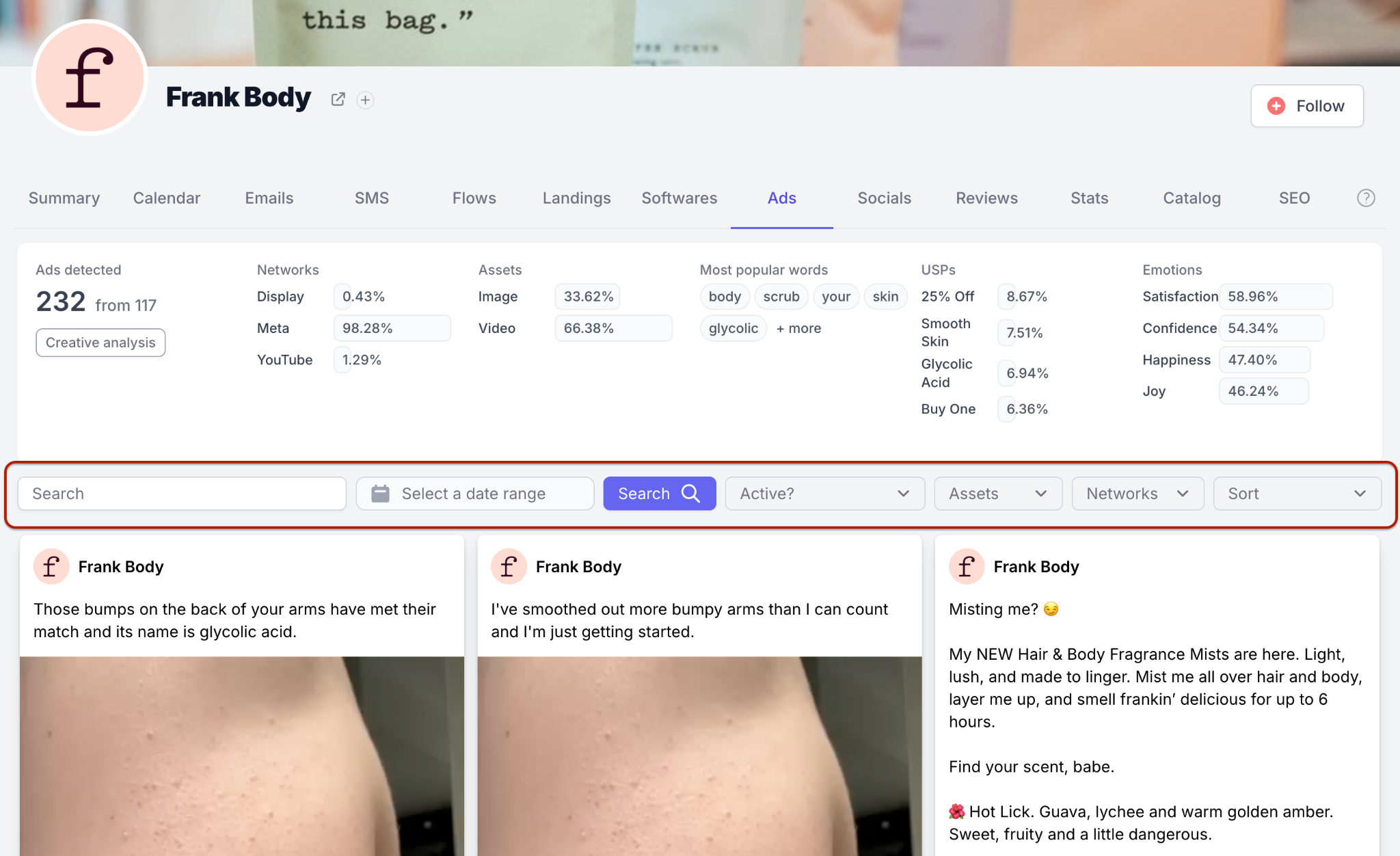
The results will update based on the filters you apply, so you can focus on the UGC ads that match your specific needs.
To change the results later, update your filters if needed, or remove them for broader results. Then click Creative Analysis and select UGC in the Style section.
You can use Ads Search to search for UGC ads across a broader set of brands.
1. Open Searches from the left-side menu.
2. Click Ads.
3. Go to the Style filter.
4. Select UGC.
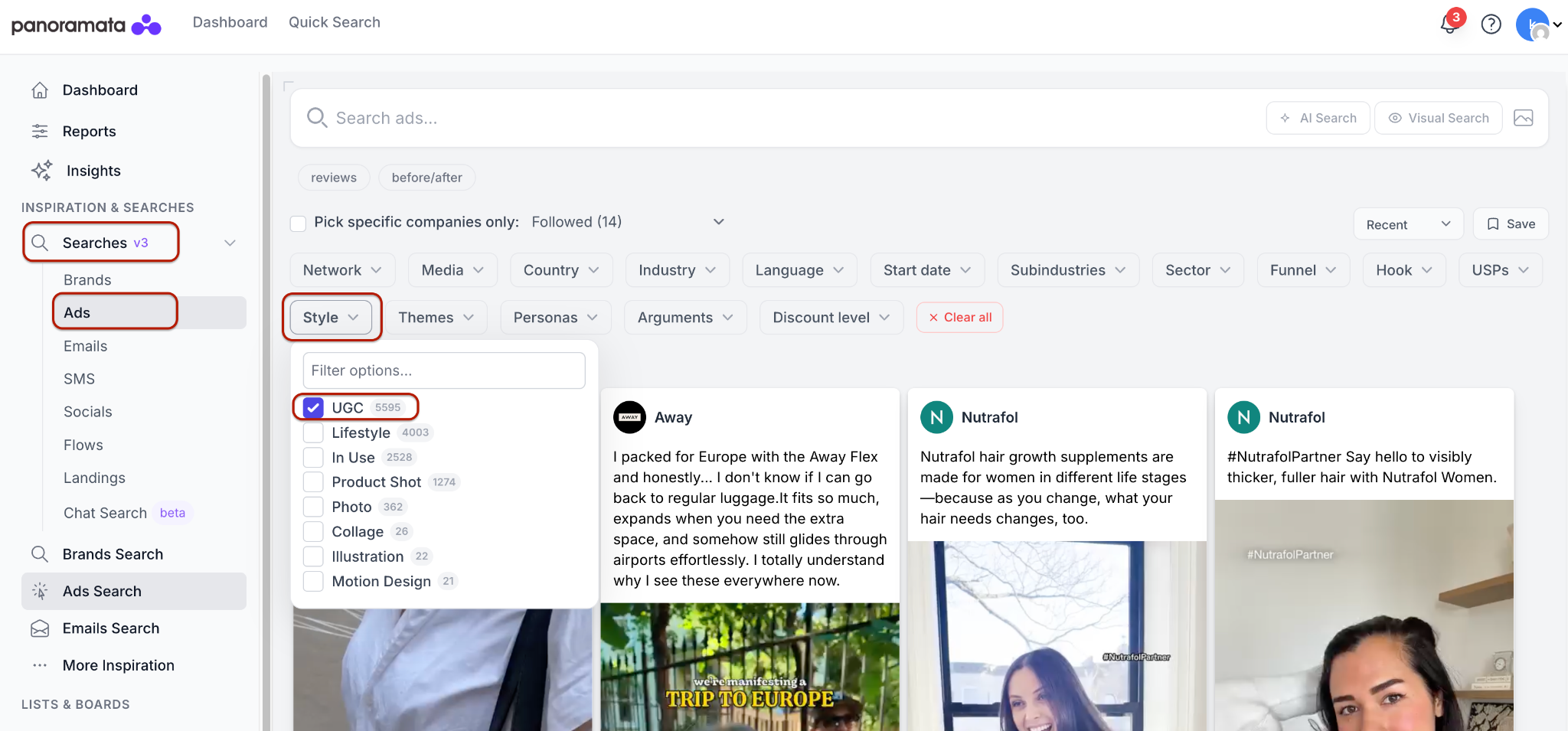
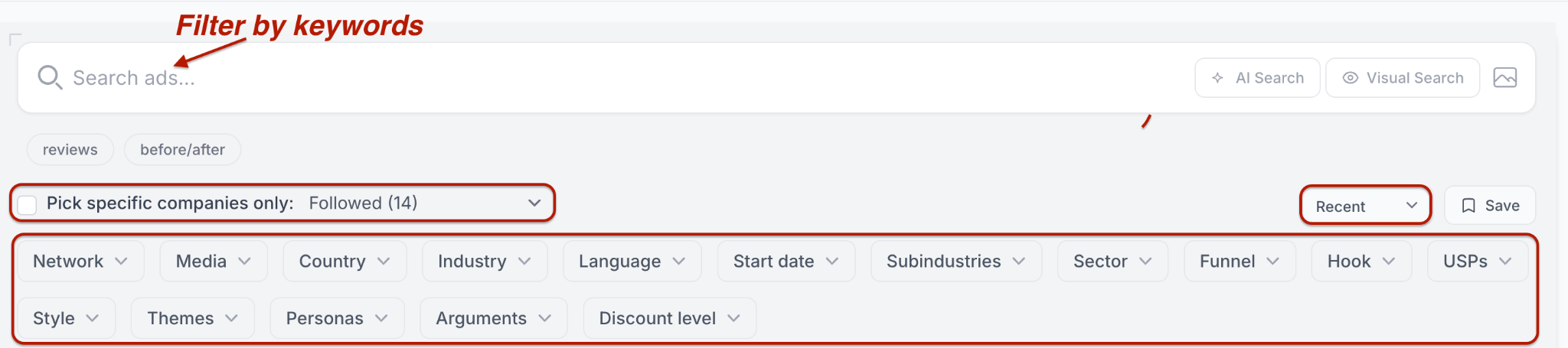
You can then add more filters to narrow your results, including network, media type, country, industry, language, date range, subindustry, sector, funnel stage, hooks, USPs, themes, personas, arguments, discount level, or sorting order.
If you already follow brands or create benchmarks, you can limit your search to one of these groups.


1-minute signup, no credit card required
with our experts


