

Panoramata lets you explore advertising inspiration from different industries and networks, all in one place. It helps you discover the best ads in your space, so it's easier to spark new ideas and stay ahead of the trends.
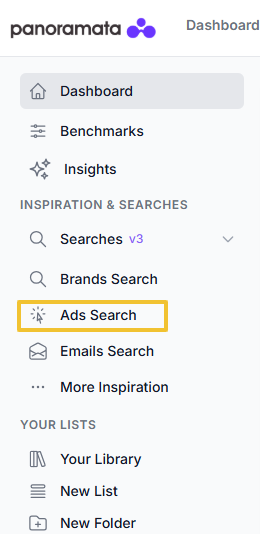
To start your inspiration search, click the Ads Search button located in the left-side menu of your main dashboard.
On this page, you’ll find a search bar and a set of filters that help refine your results, so it will be quicker for you to find the exact ads you’re looking for based on your selected criteria.
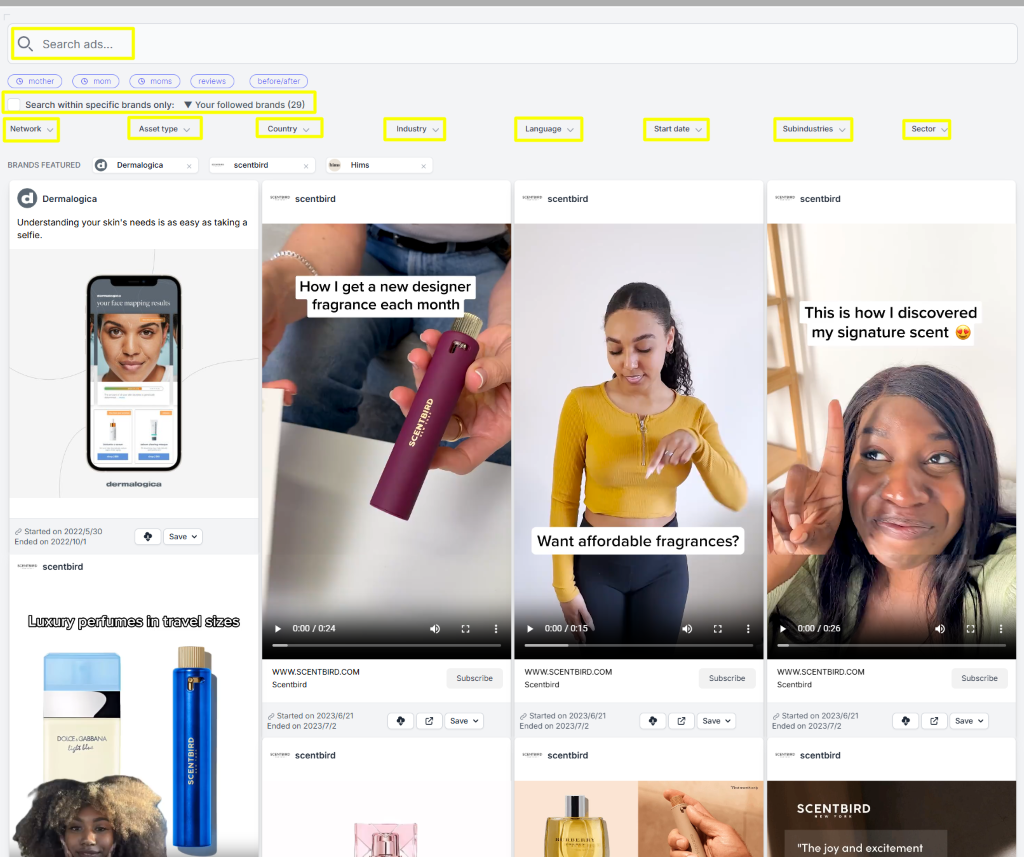
We’ll review each feature one by one.
The search bar is a powerful feature that allows you to type in almost any keyword or phrase to find ads that match your interests.
So whether you’re looking for trending campaigns, high-performing ads, or inspiration around a specific occasion or season, the search bar helps you find relevant results.
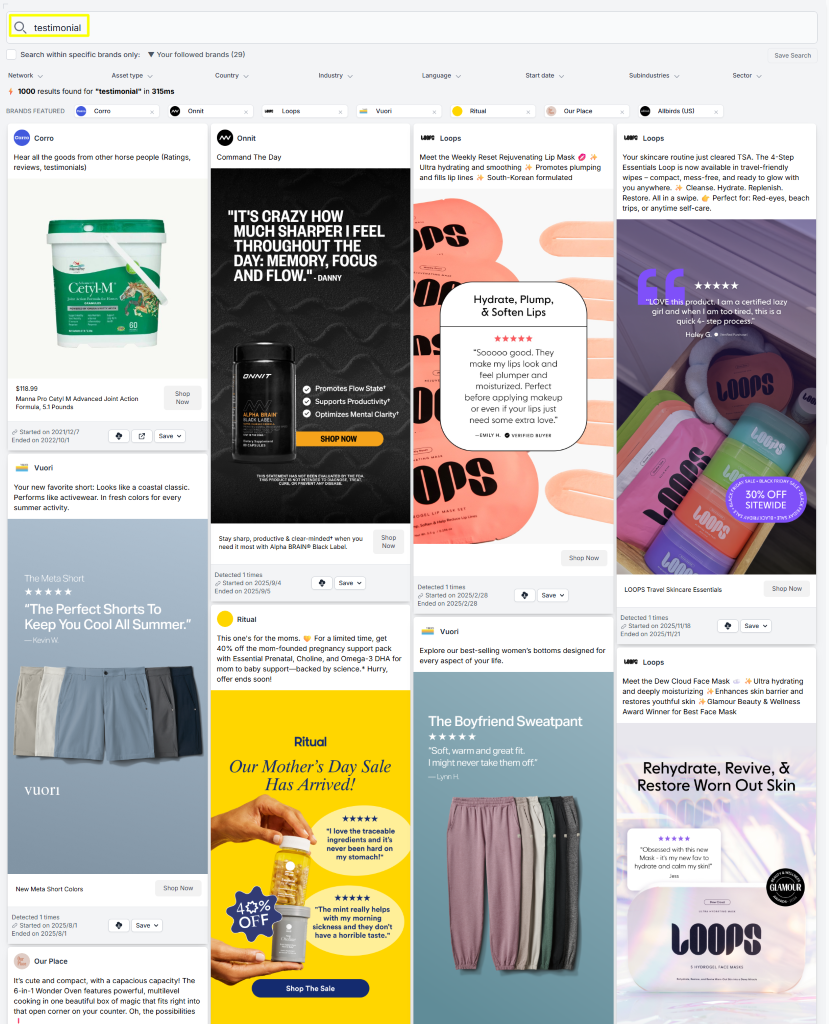
Try searching by creative style or specific themes. Here's an example where the keyword "testimonial" is entered, giving all the ads that feature customer testimonials.
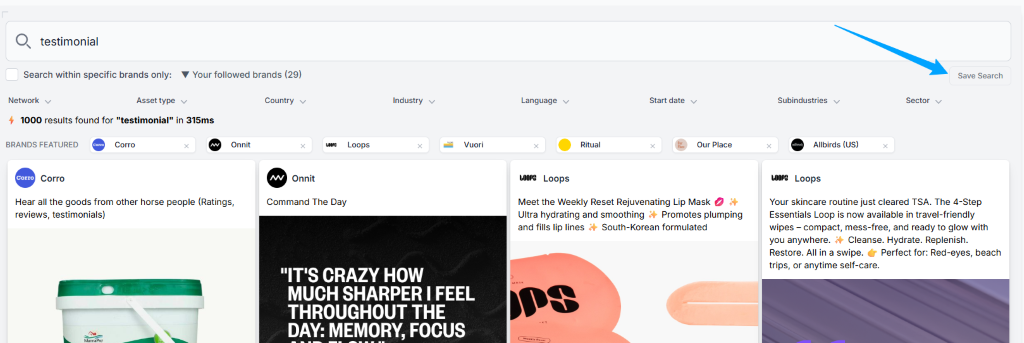
You can save your search and assign it a name for future reference. Just click the Save Searches button on the right side of the page.
Once saved, your search will appear under the Saved Searches, as shown in the image below.

Right below the search bar, you’ll find an option to search within specific brands. This feature allows you to instantly exclude ads from brands you’re not interested in.
For example, if you want to explore ad inspiration only from the brands you follow, simply click the checkbox as shown in the screenshot. By default, if you’re already following brands on your account, the platform will automatically search within those followed brands.
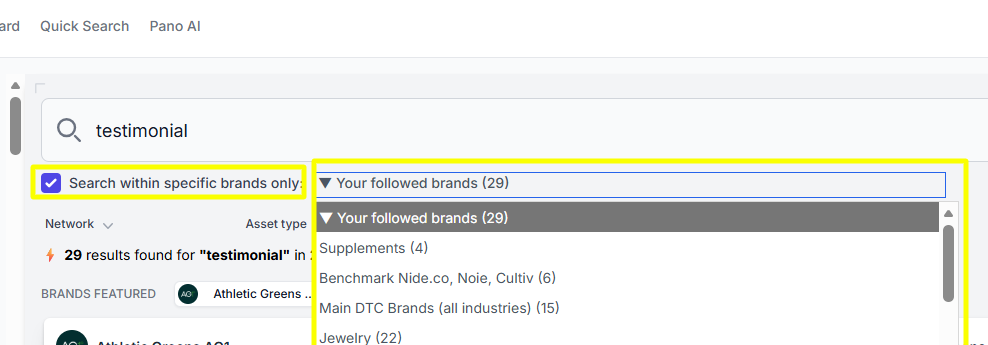
To view ads only from brands included in your benchmark, select the relevant benchmark from the dropdown menu.
To refine your search even further, Panoramata’s Ads Search includes a variety of filters that help you quickly narrow down results so you can find exactly what you need without endless scrolling.
You can also apply multiple filters at the same time. For each parameter, you’ll see numbers on the right side indicating how many ads match that option.
You can filter by hook, date, network, USP, angle, industry and more - here are some popular examples:
The platform offers years' worth of ads from different networks - Meta/Facebook Feed, Google Display, TikTok, Pinterest, LinkedIn, YouTube, and Search ads.

Let's say you’re looking for video ads only. You can use this filter to refine your search and view just that type of content.

Panoramata covers all countries worldwide. Simply select the country code or codes you’re interested in to start generating results.
Moreover, you can sort your ad search by language or languages.
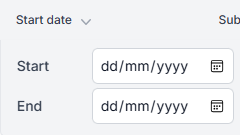
If you’re looking for ads from a specific season, holiday, occasion, or time period, you can use the Date filter to set a start and end date for when the ads were published.
Since different types of businesses take different approaches to their ad campaigns, Panoramata helps you focus on inspiration within the areas that matter most to you.
Here, you can select the sector, industry, and subindustry to refine your search for more relevant results.
Again, you can also select multiple options at the same time to further expand your search.
With this guide, we hope you find inspiration faster and create your next winning campaign.


1-minute signup, no credit card required
with our experts


