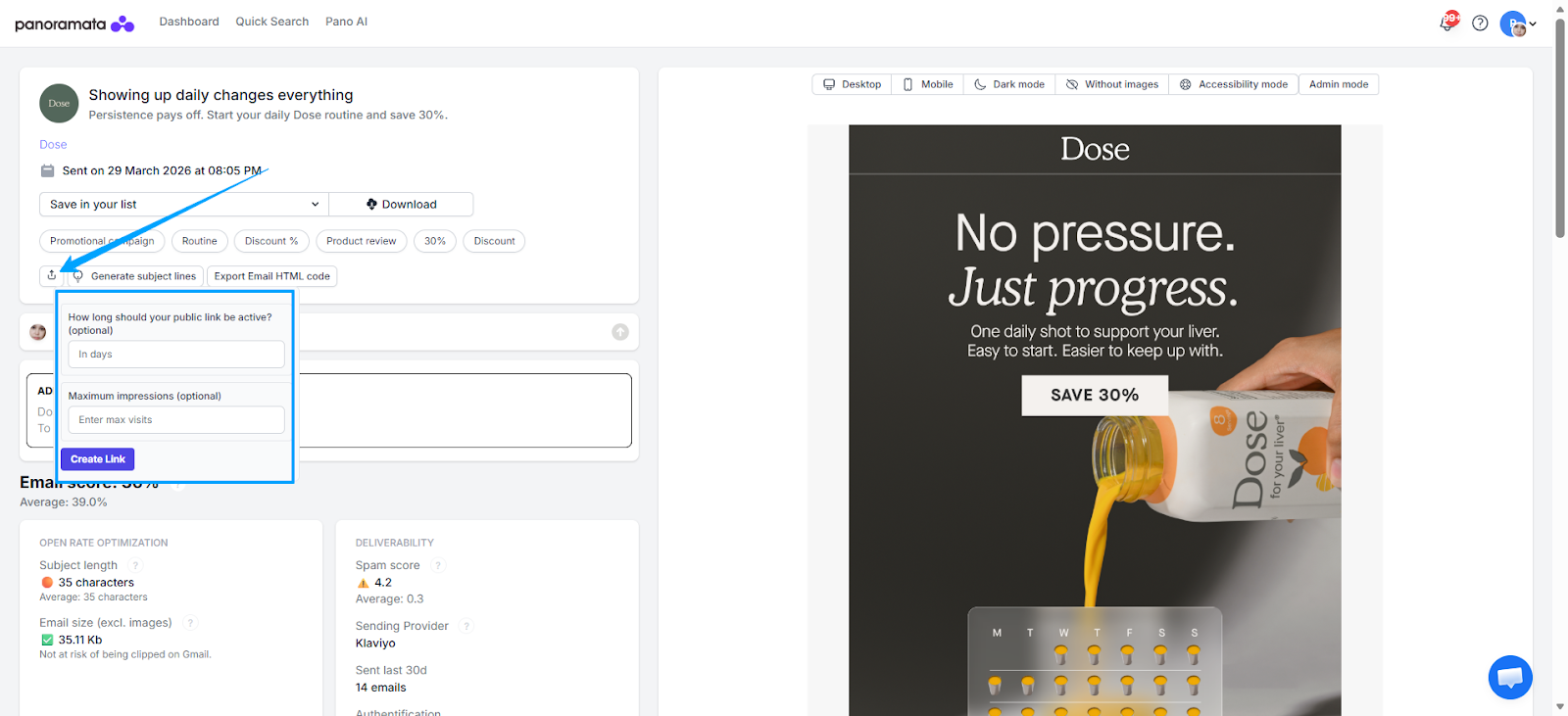
Sharing an email or advertisement with your team or recipients outside Panoramata is easy. You simply need to generate a shareable link for the specific email or ad.
Please follow the steps below:
For Emails:
Navigate to the Email page of the specific email you wish to share.
Click the icon shown in the image.
Optionally, you can configure the link settings by specifying its expiration period and/or the maximum number of allowed visits.
Click “Create Link.”
Once the link has been generated, the “Done! Copy new link” button will appear. Click this button to copy the link.
The link is now ready to be shared with your team.
For Ads:
Navigate to the Ads tab or access the Ads Search page to select the ad you want to share.
On the Ad page, click the share icon.
Configure the link settings (optional).
Click “Create Link.”
Once the link has been generated, the “Done! Copy new link” button will appear. Click this button to copy the link.
Choose a playlist to explore our step-by-step video guides.
Next Live Session - Q4 Planning: BFCM, Christmas and more
Upcoming Session - Online Webinar - October 7th Get your campaigns ready for this Q4 (Black Friday/Cyber Monday, Christmas, and more) with Panoramata, using AI: best practices, MCP tools, AI skills and we'll answer your questions live. Register now to get the recording.
Your unfair advantage
Panoramata is the difference between missed opportunities and great marketing decisions.
Without Panoramata
Manual tracking of your competitors
Constantly forgetting about it
Endless noise and distractions
Lost knowledge and missed opportunities
Less inspiration, fewer best practices & market trends
With Panoramata
Focused and organized competitor tracking
All-in-one marketing strategy hub
Efficient marketing planning
Real-time automated benchmarks
Perfect inspiration for your next marketing campaign