


An email marketing campaign for a product launch is four emails minimum: a teaser, a pre-order email, a launch email on the day, and a follow-up 48 hours later for people who opened and did not buy.
Everything else is optional. You'll find below: the ten best practices, six real examples, and the full send calendar.
You're launching something. Good!
Now who's going to hear about it?
What about reaching out to your audience?
More than 91% of your audience open their emails on a daily basis. For that reason alone, using emails to launch new products with email marketing campaigns is the best strategy there is.
People don't fall out of "favor" with email. With all the noise out there everyday, emails are like an oasis for successful product launches, given that these email subscribers are a captive audience and they signed up to hear from you.
As such, it's a promising channel (and a profitable one) to help launch your new products with email campaigns when you do it right.
You could spend money on expensive marketing campaigns, but this is not always necessary. How about doing product launches with email campaigns instead?
In this blog post, we're going to discuss what things you need to consider before launching a new product and how to use email marketing strategies that will help generate more revenue.
The 8 types of email campaigns (including for launches), and when to send each one
Most "email marketing campaigns" fall into eight categories. When it comes to product launches, you'll use four of them (but keep the four others around!).
- Announcement. One thing exists that did not exist before. One message, one link, no second idea competing for the click.
- Teaser. Sent before the announcement. Shows a detail, not the product. Works only if you actually send the announcement after it.
- Pre-order. Takes money before the thing ships. The only campaign type that tells you whether the launch will work while you can still change it.
- Launch day. The one everybody sends. Short, one button, and sent at the hour your list actually opens — not at 9am because 9am sounds right.
- Nurture sequence. Several emails, spaced out, each one earning the next open. Used for anything a buyer needs to understand before they buy.
- Promotional. A discount, a bundle, a deadline. Fast money, and the campaign type most brands over-use until their list stops opening anything else.
- Transactional. Receipts, shipping updates, password resets. The highest open rates you will ever get, and the emails nobody bothers to write well.
- Re-engagement. Sent to people who stopped opening. Either wakes them up or tells you to let them go — both outcomes are useful.
For a product launch, use #1, #2, #3, #4 and #5 afterwards.
Everything below is how to build them, with examples - so let's get to it!
10 Best Practices When Using Email for Product Launches
Here are the main campaigns types we'll cover, and what each one is doing:
Here's a sequence you can use for most launches:
Four of these are the minimum: teaser, pre-order, launch, follow-up. The other three are what separates a launch that sells for a fortnight from one that sells for a day.
Notice what none of them do: none of them sends one email and hopes.
Wondering how many emails you should send for your launch?
Make Emails Relevant

Only 14% of subscribers ever feel that the emails they receive from brands are relevant to them. You want to be there.
With an eclectic mix of proper email list building strategies (use appropriate lead magnets while trying to build your lists), personalization, email marketing segmentation, email marketing timing, and working with your tags and segments, you'll ensure that you only send out emails that are relevant to your users.
Utility emails such as order confirmation emails, order update emails, shipping update emails, etc. are already very relevant. It's the email marketing emails that you have to focus on to ensure relevancy.
Offer discounts and savings
While we don’t always suggest making offers and discounts a always-on strategy (or a habit), you can certainly send out discount coupons and provide opportunities for your email subscribers to get a “deal” on launch days at least.
Use FOMO (Fear of Missing Out) along with your discount strategy to ensure that the message you are sending out is that these discounts won’t last long and are specifically launch day specials.
Of course, this should be true. It's not a tactic.
Use email marketing + social media (on top of your blogs, PR campaigns, paid advertising campaigns, and even referral software) to help spread the word and get the world talking about your products and/or brand.
Use visuals the right way
We are wired to process information visually. We learn, get inspired, and our minds react to visuals more than anything else. Visuals are powerful tools for promoting your products, but you may not be utilizing them to their full potential.
How do you use visuals? Use visuals to promote your products in three steps:
- Create buzz: Don't send a single email out on launch day. One of the open secrets to successful product launches with email campaigns is to create buzz and excitement around launches (and yes, it never gets old. Just see what Apple does each year). Work your way backwards from the launch date, and "tease" your product launches using visuals.
- Build Excitement: Send regular emails leading up to launch day with "progressive teasers" -- each email reveals just a little more information to your subscribers and potential customers than the previous one does.
- Launch with product visuals: Finally, splash emails with product visuals designed to entice.
Here's an example:

Build Anticipation With a Product Launch Email Sequence
One of the biggest mistakes businesses make is staying quiet until launch day.
Put yourself in your customers' shoes for a second. If you suddenly received an email saying, "Hey, here's our new product — buy it now!" Would you be excited? Probably not. You'd likely need a little more convincing first.
That's exactly why building anticipation works.
Instead of putting all your hopes on one launch email, you should spread the excitement over a series of emails. You need to give your subscribers little bits of information along the way so they're looking forward to what's coming next.
A simple product launch email sequence could look like this:
- Teaser email: Let people know something exciting is coming without giving away too much.
- Problem-awareness email: Talk about the problem your audience is dealing with and hint that a solution is on the way.
- Sneak peek: Share a first look at your product and show off a few features or benefits.
- Early access announcement: Give your email subscribers first dibs before anyone else. Everyone likes feeling like they're getting VIP treatment.
- Launch day email: Let everyone know your product is officially live and make it easy for them to buy.
- Last chance reminder: If you've got a launch discount or bonus, remind people it's about to end before they miss out.
You don't need to push people to buy in every email. Just keep the excitement going, share a little more each time, and let the curiosity build. By launch day, your subscribers won't be surprised, they'll be waiting for it.
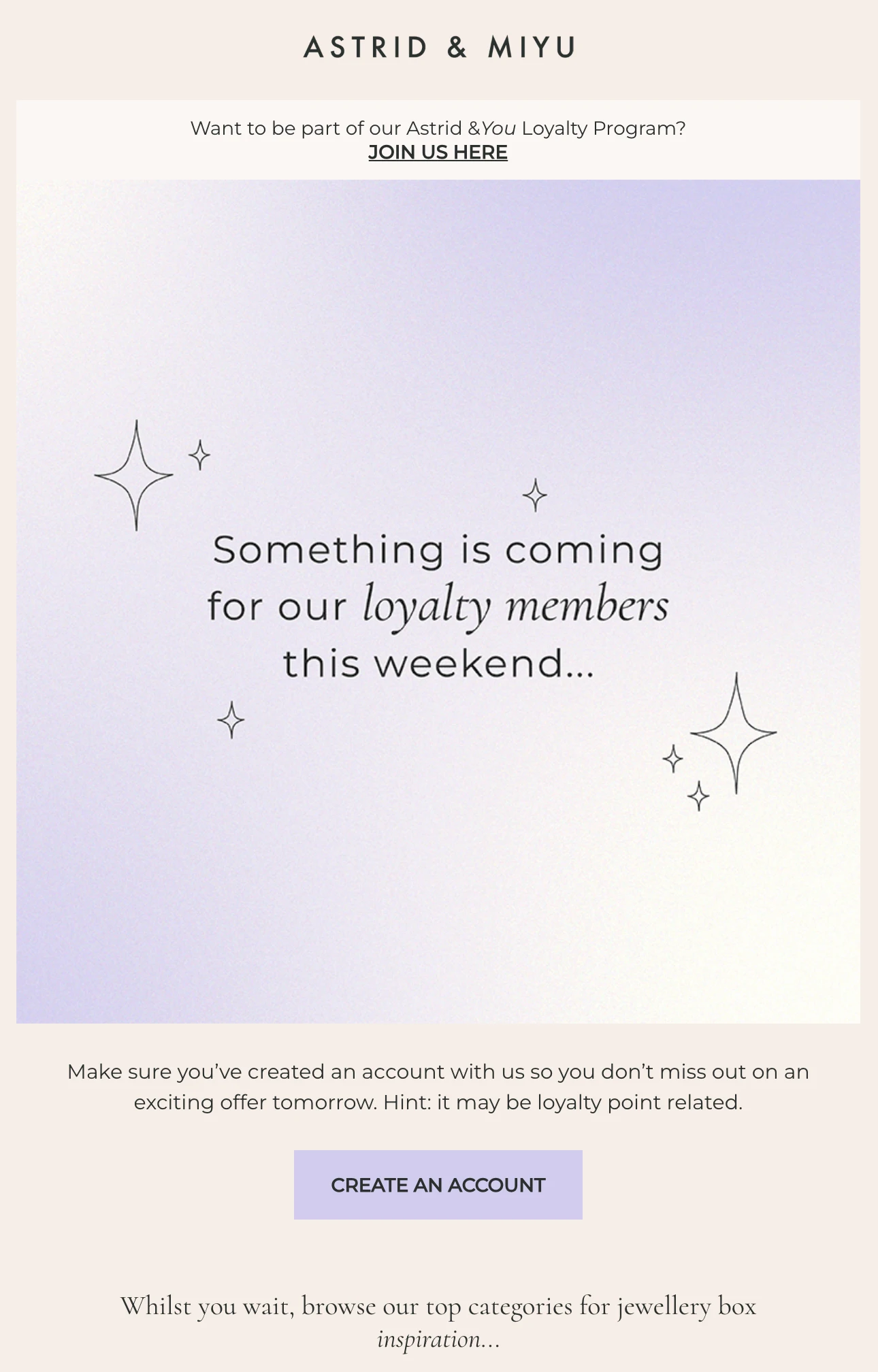
Take a look at how Astrid & Miyu do it. Instead of revealing the offer straight away, they simply told their loyalty members, "Something is coming for our loyalty members this weekend." It doesn't say much, but that's the point, it gets people curious and excited to see what's coming next.
Share videos within emails
Did you know that almost 50% of online shoppers look for videos about products and services they might be looking for? Video has a direct correlation with eCommerce sales and revenue. Period.
See how DJI does it (for every single product launch):

Produce videos (anyone can do it today, and there are tools to help you create videos that can also double up as ads) and use them inside your email campaigns for product launches.
There’s a range of video types you can use: product reveal videos, actual videos of products themselves (but don’t reveal too much for product launch email campaigns), animated videos, video testimonials, and so many more.
Embed videos directly into your email (if your email service provider allows that) or create a GIF preview for your video that email users can click and watch elsewhere.
Take conversations beyond email (use social media)
An email marketing campaign is an email marketing campaign, and we agree. But why just depend on emails when you can take the party everywhere?
See how Harry’s uses a “referral” system to help spread the word:

Push the excitement, buzz, and the events of the launch on social media as well. Use videos. Use short teasers. Get people talking about your products or your brand using hashtags.
Go beyond email and use the collective power of social media, the visual impact of videos, and the insane reach of social media to work in your favor.
Use pre-order emails
Why should you wait until the product is ready? Who says email marketing campaigns for product launches make sense only “after” or just before product launches?
So, what's a better email campaign than the product launch email campaign? It's the pre-order email campaign.
Sell even before your product is ready and the launch date is out. Asking for pre-orders is so much better than even the actual launch emails.
First, you are already building anticipation and buzz (above). Second, pre-orders get you revenue even before the product is ready. Third, it's the ultimate form of validation for your products.
See how a pre-order email looks like:

Make the sale
Your emails are not the time to be timid about asking for the sale directly. The goal of an email marketing campaign is to sell something - and if you're launching a new product, you want people to buy it.
What do you know about your prospects? What are their fears or hesitations? How can you address them in conversation with prospects?
Understanding all of this is a prerequisite for successful launch emails for eCommerce.
Once you are past that, ask for the sale on launch day.

The launch email isn't the last email
So, your launch day is 2 weeks from now. You’ve successfully used email marketing campaigns for product launches before. You’ve done it again now.
But most businesses just stop after the launch day. Emails fade away.
Launches are forever. Don’t stop sending out regular emails (even for those who never purchased during the build up to launch and on the launch day itself).

Continue with your email marketing campaigns. Nurture your potential customers with exclusive information, behind the scenes footage, events, and more content.
This is also when advanced tactics such as retargeting ad campaigns and retargeting email marketing campaigns come into play.
Based on proper audience management, email marketing segmentation, timing, and personalization, launch new campaigns to get several of those non-purchasers back and have them complete the sale.
Don't just use their name: personalize!
Most people have received an email that starts with, "Hi, Sarah!" or "Hey, John!" It's nice, but let's be honest, that alone doesn't make an email feel personal anymore.
If you really want your product launch emails to stand out, make them feel like they were written for the person reading them.
Think about it, not everyone on your email list is the same. Some people have been following your brand for ages, some just found you last week, and others might have bought from you before. So why send them all the exact same email?
Instead, use what you already know about your subscribers. Maybe your loyal customers get early access before everyone else. Maybe someone who checked out a product but didn't buy gets a reminder. Or maybe your newer subscribers get a quick introduction before you dive into the launch.
A few small personal touches can go a long way. When your emails feel relevant, people are much more likely to open them, click through, and see what you've got to offer.
See how Western Rise does it:

Instead of sending the same email to everyone, this brand uses what it already knows about its customers. Since they looked at these products before, the email shows them again and lets them know they're now on sale. It's simple, but it makes the email feel much more personal.
You can do the same with your product launch emails. Maybe someone who looked at your product but didn't buy gets a reminder. Or maybe new subscribers get a quick introduction before you start talking about your launch.
It doesn't have to be complicated. Small personal touches can make a big difference. When your emails feel more relevant to the person reading them, they're much more likely to open them, click through, and check out your new product.
So, you're about to send something. Which kind is it?
Marketing Plan for A Product Launch
Marketing plans for product launches might have several moving parts -- none of those are hard to do. However, it takes some work (at the start, the middle, and the end, and beyond that).
You'll need research, competitive analysis, product positioning, branding, web presence (with several tasks to cover up your basics and leading with your brand’s USP), social media presence, content marketing, SEO, email marketing (and automation), analytics, and tracking.
If you intend to use pay-per-click advertising, you’ll also need bidding control, campaign management, campaign optimization, landing page management, lead generation, corresponding automation, and more.
There are several different fires you’d have to put out constantly. Most of the work related to digital marketing is ongoing.
Yet, product launches are a huge opportunity for your business. Miss this one, and you miss everything. Gaining traction can be hard and you don’t want to go down the rabbit hole of missed opportunities.
There’s a saying in digital marketing: “If you want results today (sign-ups, leads, sales), start at least 3 years before the time you need it badly enough”.
Here’s a rundown on how to orchestrate your product launch:
Know your audience first
Before you start building your website, planning social media posts, or writing your launch emails, take a step back for a minute.
Who are you actually selling to?
It sounds like a simple question, but it's one of the most important ones you can ask before launching a new product.
Think about your ideal customer. What problem are they trying to solve? What are they looking for? And why would your product catch their attention over everything else that's already out there?
The better you understand your audience, the easier everything else becomes. You'll know what kind of emails to send, what content to post on social media, what messaging will grab their attention, and even what offers they're most likely to respond to.
At the end of the day, a successful product launch isn't about reaching everyone, it's about reaching the right people with the right message.
Create a dedicated landing page
Imagine someone opens your email, gets excited about your product, and clicks the button.
Great! But where are you sending them?
That's where a dedicated landing page comes in.
Think of your landing page as the destination for all your marketing efforts. Whether someone clicks on your email, social media post, or ad, they should land on a page that's all about the product you're launching.
Instead of sending people to your homepage where they can easily get distracted, send them to a dedicated landing page that keeps the focus on one thing, your new product.
Think about the questions someone might have before buying, then answer them right on the page. Show off your product with great images, highlight the features and benefits, include your pricing, answer common questions, and if you have customer reviews or testimonials, add those too. Most importantly, make it obvious what you want people to do next, whether that's signing up, pre-ordering, or buying your product.
And don't overcomplicate it. A clean, easy-to-follow landing page almost always works better than one that's packed with too much information. When people can quickly find what they're looking for, they're much more likely to take action.
Get active on social media
Gaining traction, creating buzz(for your product launch or otherwise), and having people follow you on social media takes time. It’s going to happen on the day you show up with your brand’s social media handles.
Social followers start noticing your brand, engage with your content, comment on your content, and leave their opinions underneath various pieces of content you publish. Start engaging with these followers naturally.
As you get bigger and more recognized, you’d also have to add “social monitoring” and social-driven customer support channels ( to help your existing and potential customers.
Test everything before you go live
You've put a lot of time and effort into preparing your product launch, so don't let a small mistake ruin it.
Before launch day, take a few minutes to go through the entire customer journey yourself. Open your emails, click every button, fill out your forms, apply your discount code, and complete a test purchase from start to finish.
While you're at it, don't forget to check how everything looks on your phone too. A page that looks great on a desktop might not look the same on a mobile device.
It might seem like a small step, but it can save you from some pretty frustrating problems on launch day. It's always better to catch a broken link, a checkout issue, or a coupon that doesn't work before your customers do.
Only email people who asked you to
Your product launch is not complete with email sign-ups, opt-ins, pop-ups, in-line forms, sliders, and announcement bars (with links) -- all leading to some sort of workflow that allows people to sign up for your launch offers.
Automation (in some form or function) should kick in whether it’s an in-line form within a blog post, a pop-up on an eCommerce store, a regular newsletter sign-up, or an actual customer.
It’s called lead nurturing, and it’s more powerful (while easy to implement) than you think.
Shopify, for instance, has dedicated apps such as Shopify forms, Shopify Inbox, Shopify Emails, and Shopify automation to let you launch and manage email campaigns along with email automation with ease.
Casual newsletter sign-up? Send the newsletter when it is due (and continue henceforth)
Potential lead, signed up for a discount offer? Trigger an automated email that delivers the discount coupon code.
Henceforth, follow-up with more emails (automated and segmented) depending on actions potential or existing customers take.
Potential customer visited a product page and left without doing anything? Or maybe added an item to your cart but didn’t complete the purchase?
Send automated emails and/or retargeting emails prompting and nudging them to complete the purchase.
There’s more where automation is concerned, but you get the idea.
Marketing channels checklist for product launches
In summary, here’s the comprehensive set of marketing channels you’d need to work on to ensure a successful product launch and continuation of your efforts for a sustained business (in terms of digital marketing):
- Website: Complete, fast-loading, easy-to-navigate, simple (for most business cases), and clear. Your customers should know what you are offering within 3 seconds or less.
- Content marketing engine: blog posts (also helps with search discovery, engagement, window of trust, and more) and other pieces of content (eBooks, guides, resources, white papers, and so on). Some of these can also be used as lead magnets for lead generation, followed by nurturing (below)
- Social presence: Active content distribution and updates on social media (with a regular, consistent schedule) along with engagement, social monitoring, social media support channels, and more.
- Email marketing: Broadcasts, automated email campaigns, impromptu email campaigns, retargeting emails. This along with active tagging and segmenting to help with personalization and relevance.
- Social Proof: People are much more likely to trust your product when they see that others do too. If you have customer reviews, testimonials, user-generated content (UGC), or feedback from beta testers, don't be afraid to show it off. Seeing real people talk about their experience with your product helps build trust and gives potential customers that extra confidence to make a purchase.
- Affiliate Marketing: Tap into a global workforce of partners and affiliates willing to go the whole mile to get leads or sales for your business.
- Paid advertising: Across networks such as Google (including Google shopping ads), meta ads (Facebook), X, Pinterest Ads (if applicable and available). Ads should lead to dedicated landing pages with email marketing and/or SMS marketing completing the workflows.
- Analytics: Get the right insights and keep a tab on your KPIs with proper integration with analytics tools and appropriate tracking.
If you’d like to see how brands run their campaigns and product launches, dig up all the information you need and view it in a single dashboard with Panoramata.
Create tracking lists with brands doing product launches and running campaigns on ad platforms, make changes to their landing pages or websites, and view all their email marketing campaigns with ease.
Need help growing your eCommerce business? Would you like to take advantage of advanced marketing strategies for eCommerce and make your Shopify business a success story?
You can.
FAQs
How can email campaigns help with launches?
Email campaigns create excitement and awareness by directly engaging your audience with exclusive updates, teasers, and special offers. They help build anticipation and ensure your launch reaches the right people at the right time.
What are the key elements of a successful launch email?
A successful product launch email includes a compelling subject line, eye-catching visuals, and a clear call-to-action. Personalization and early access offers can also boost engagement and conversions.
How do you plan an email sequence for a product launch?
Start with teaser emails to generate curiosity, followed by announcement emails to reveal the product, and finish with follow-ups to highlight benefits or offer limited-time deals. Timing is crucial—schedule each email strategically to maintain interest and momentum.
How many emails should a launch campaign have?
Four, minimum: a teaser, a pre-order or early-access email, a launch-day email, and a follow-up for people who opened but did not buy. Add a fifth if the product needs explaining and a sixth if you are running a deadline. Below four, you are relying on one email landing at the right moment. That is not a campaign, that is luck.
When should you send a product launch email?
Send the teaser five to seven days out, the pre-order two to three days out, the launch email on the day, and the follow-up 48 hours later. The hour matters less than people think — send when your own list opens, which your email platform can tell you in about a minute. Copying someone else's "best time to send" is copying someone else's audience.
What makes a product launch email actually work?
One idea. The launch emails that convert have a single product, a single image, a single button and almost no navigation. The ones that do not convert have a launch, a sale, a blog link and a social follow, all competing. If you cannot say what the one thing is, the reader cannot either.
How do you measure an email marketing campaign?
Open rate tells you whether the subject line worked. Click rate tells you whether the email worked. Revenue per recipient tells you whether the campaign worked — and it is the only one of the three that survives a conversation with your finance person. Track all three, but judge on the third.


