How do I add a competitor to a benchmark report or dashboard?

You can add it from the benchmark Settings tab. The related dashboard updates automatically.

If the company is not available yet, you can request it from Panoramata and the team can add it for you.

Add a competitor to a benchmark report

Use this when you have already created a benchmark and want to add another company to it.

  1. Open Reports from the left-hand menu.
  2. Select the benchmark you want to update.
  3. Click Settings.
  4. Search for the company using the search field or filters.
  5. Click Add to benchmark.

Once the company is added, the benchmark data updates. If that benchmark is displayed as a dashboard, the dashboard updates too.

Add a competitor to a dashboard

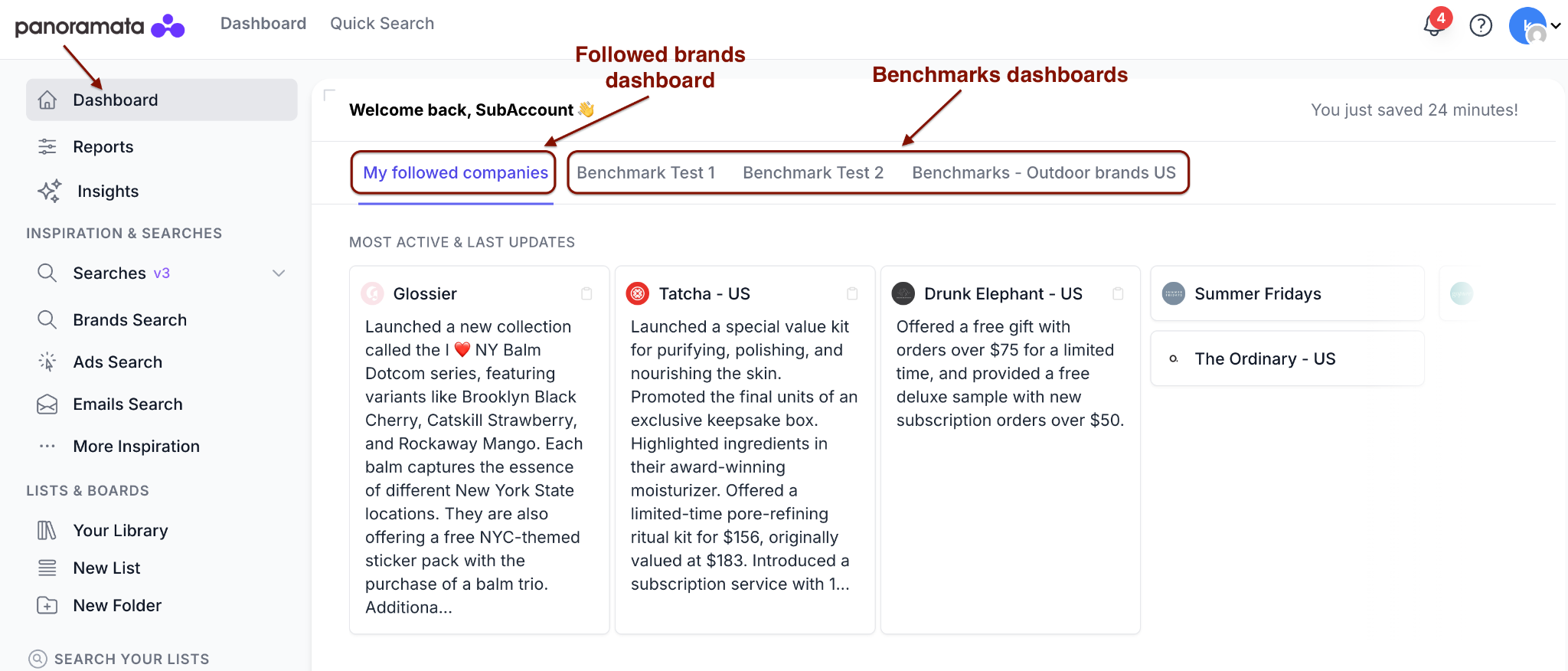
Dashboards are connected to the brands you follow or to the benchmarks you create.

If you want the competitor to appear in your Followed Brands dashboard, open the brand page and click Follow.
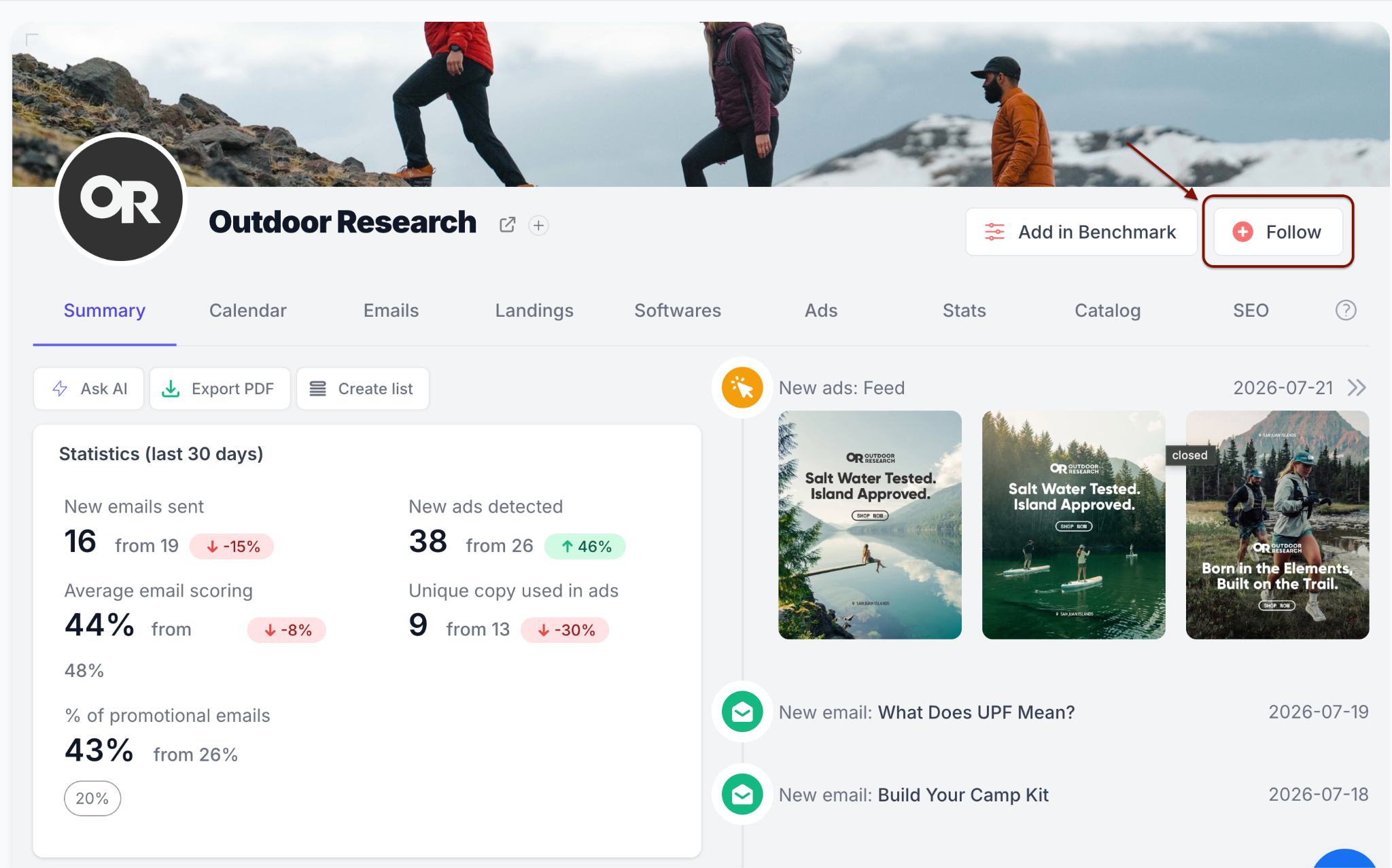
If you want the competitor to appear in a benchmark dashboard, add it to the benchmark. You do not need to update the dashboard separately.

To understand how benchmark dashboards work, read: Can I create multiple dashboards?

To learn more about Followed Brands and benchmark dashboards, read: How do I track more companies? Is there a limit?
If the competitor is missing

If you cannot find the company in Panoramata, send it to the team as a request.

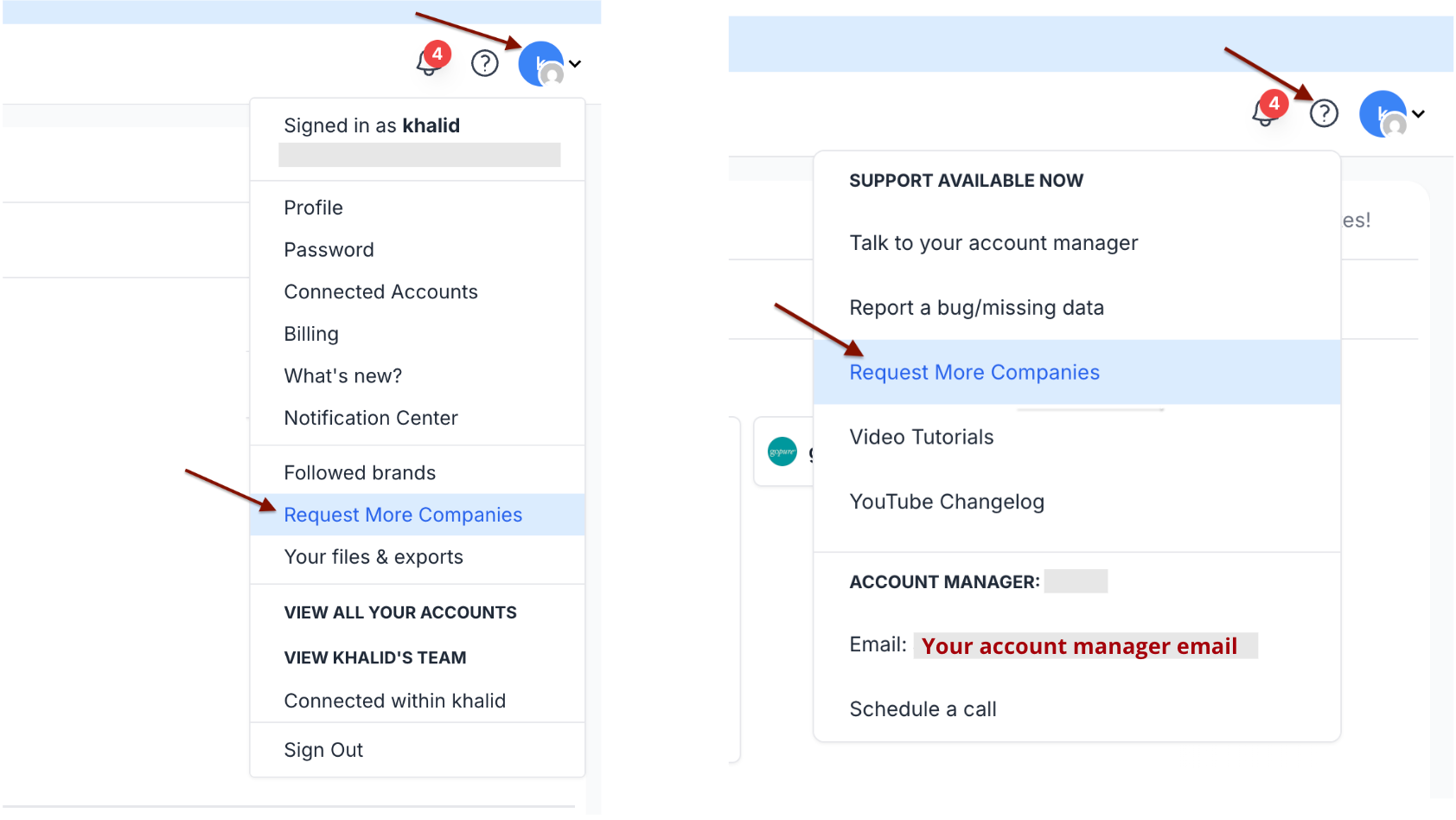
  1. Open the top-right menu.
  2. Click Request more companies.
  3. Share the competitors' names, websites, or a short description.

Then, the Panoramata team will take care of the rest.
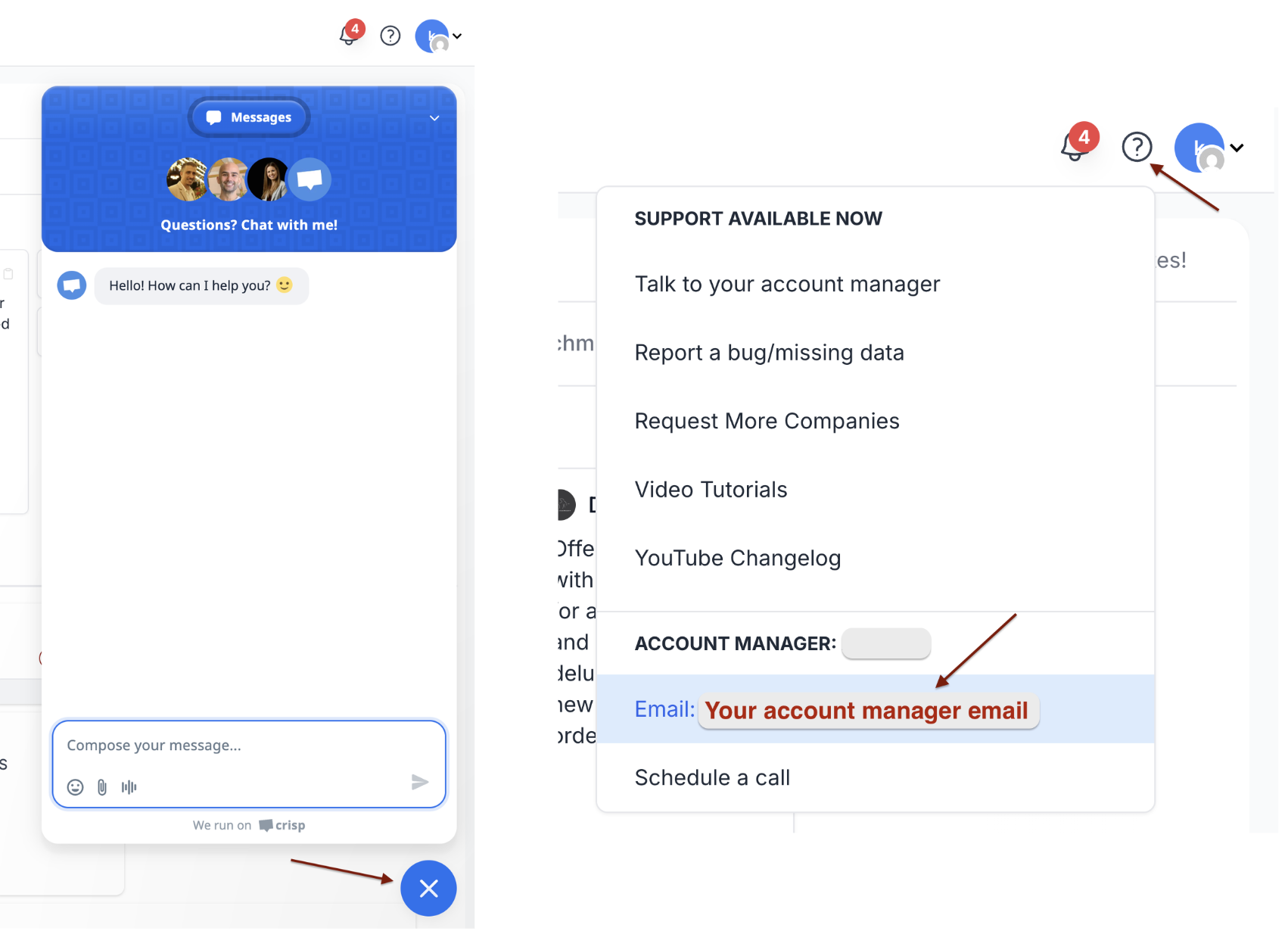
You can also send the request through the support chat on the bottom-right of the page, or by email to your account manager. A simple website or company name is enough, and you can also share a CSV file or a screenshot of the companies you want to add.
founder smiling
Mehdi BOUFOUS
July 28, 2026

Next Live Session: Panoramata MCP Use Cases

Upcoming Session - Online Webinar - August 5th
Join us to see how to connect Panoramata MCP with ChatGPT, Claude, and your existing AI workflows — so you can access competitors’ campaigns without switching tools. We’ll share best practices, live examples, and answer your questions. Register now to get the recording.

The unfair advantage to your success

Panoramata is the difference between missed opportunities and great marketing decisions.

Without Panoramata

  • Manual tracking of your competitors
  • Constantly forgetting about it
  • Endless noise and distractions
  • Lost knowledge and missed opportunities
  • Fewer inspiration, best practices and market trends

With Panoramata

  • Focused and organized competitors tracking
  • All-in-one marketing strategy hub
  • Efficient marketing planning
  • Real-time automated benchmarks
  • Perfect inspiration for your next marketing campaign
Get Started for Free

1 minute signup, no credit card required

mehdi, founder of panoramata
Book a Demo

with our experts

AI that actually helps you track

We created the only AI-powered agent built to track your competitors. Sit back and let the robots do the grunt work - so you can do smarter strategy.
ai actions

Instant access to all campaigns

View all of your competitors’ marketing campaigns the moment you sign up. Did we mention they’re neatly organized and searchable?
track competitors

Customize your tracking

Create groups of competitors and track/compare them in real time.
benchmarks

Track everything (and we mean everything)

Emails, flows, SMS, ads (Meta, TikTok, LinkedIn, Google, Display, YouTube, Pinterest), website changes, landing pages, and much more!
marketing channels logo

Get inspiration on demand

Access the most advanced marketing search filters to find the right inspiration every time. Turn their hard work into your team’s inspiration.
find inspiration

Stay ahead of what's next

Anticipate and understand your competitors next campaigns.
insights competitive

Trusted by over 50,000 teams worldwide

1B+
Creatives tracked
24/7
Available support
Worldwide
Coverage
100k+
Companies tracked